


SEAGATE
Seagate Barracuda 500GB Internal Hard Drive 7200RPM SATA 3.5" HDD for Desktop PC, DVR & NVR | Open Box | 2 Year Warranty
Seagate Barracuda 500GB Internal Hard Drive 7200RPM SATA 3.5" HDD for Desktop PC, DVR & NVR | Open Box | 2 Year Warranty
In stock
Couldn't load pickup availability
Shipping & Delivery
Shipping & Delivery
- Order Processing & Shipping: 24–48 hours.
- Delivery Time: 1–7 business days (depending on location)
Return, Replacement & Warranty
Return, Replacement & Warranty
Every Product Is Backed By 1 To 2 Year Warranty
Contact
Contact
📧 Email — support@wekartonline.com
📦 Orders — orders@wekartonline.com
🛡️ Warranty — warranty@wekartonline.com


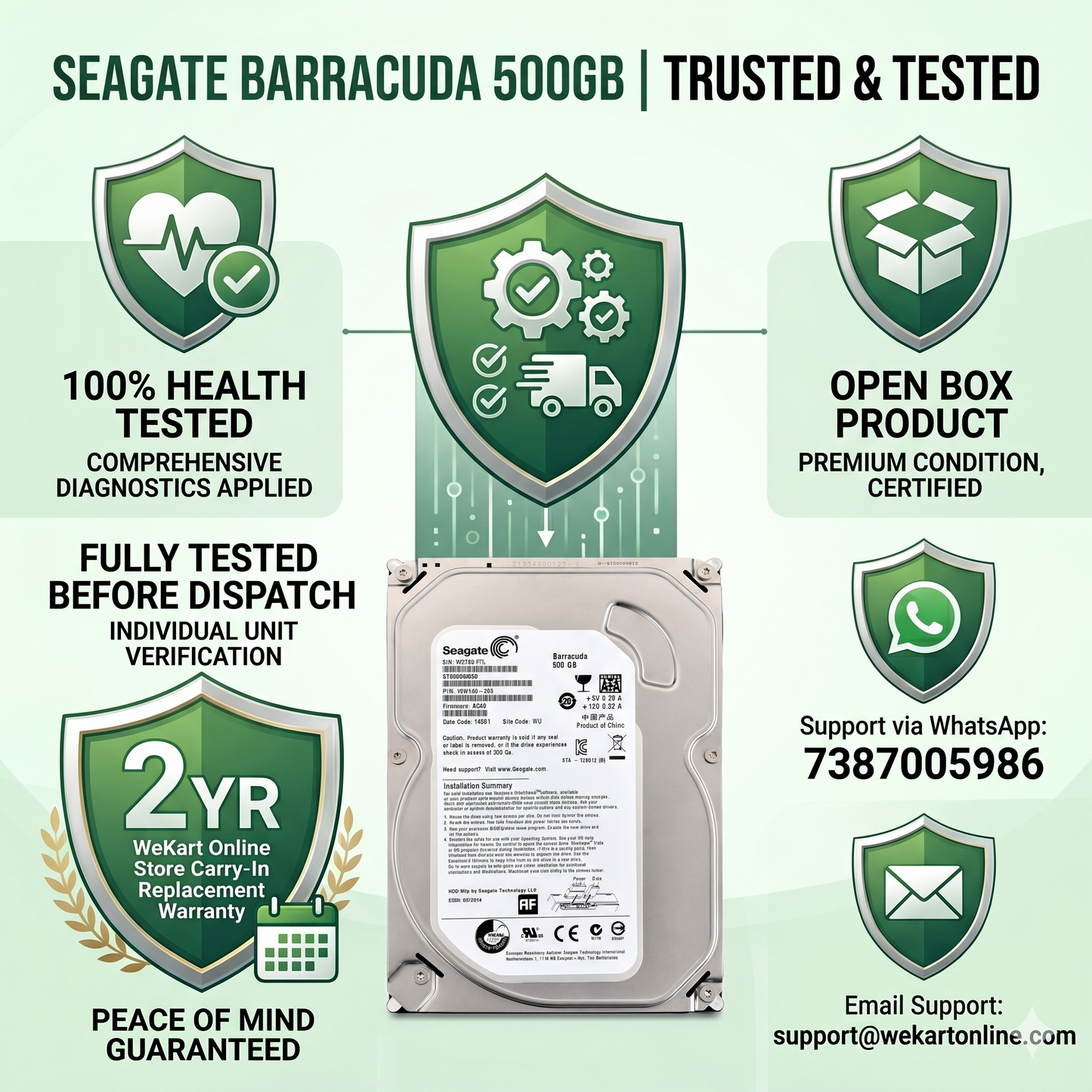
Seagate Barracuda 500GB Internal Hard Drive 7200RPM SATA 3.5" HDD for Desktop PC, DVR & NVR | Open Box | 2 Year Warranty
Seagate Barracuda 500GB Internal Hard Drive — Desktop, DVR & NVR
3.5" SATA HDD | 7200 RPM | 100% Health Tested | Open Box | 2 Year WeKart Carry-In Replacement Warranty | Compatible with Desktop PCs, Hikvision DVR, CP Plus DVR, Dahua NVR & More
500GB Storage Capacity
Ample space for documents, CCTV footage, backups, media libraries, and everyday desktop storage needs.
7200 RPM Spindle Speed
Faster rotational speed means quicker data access and more stable read/write performance for DVR recording and desktop tasks.
SATA Interface
Standard SATA connection ensures broad compatibility with desktop motherboards, DVR systems, NVR recorders, and SATA enclosures.
3.5" Desktop Form Factor
Standard desktop hard drive size fits directly into desktop PC cabinets, DVR bays, and NVR enclosures without adapters.
100% Health Tested
Every drive is individually verified with health diagnostics, surface scan, and functional testing before dispatch from WeKart.
DVR & NVR Compatible
Works seamlessly with Hikvision, CP Plus, Dahua, TVT, Honeywell DVR and NVR systems for continuous CCTV surveillance recording.
Secure Protective Packaging
Professionally packed with shock-absorbent material to protect the drive during transit and prevent damage on delivery.
2 Year WeKart Warranty
Covered by a 2 Year Carry-In Replacement Warranty directly from WeKart Online Store for complete peace of mind.
Open Box — Professionally Tested
Open box condition with full functionality check completed. Offers excellent value at a cost-effective price point.
GST Invoice Provided
Every order from WeKart Online Store ships with a proper GST invoice — important for businesses, IT departments, and accountants.
| Specification | Details |
|---|---|
| Brand | Seagate |
| Series | Barracuda |
| Storage Capacity | 500GB |
| Drive Type | Internal Hard Disk Drive (HDD) |
| Form Factor | 3.5 Inch |
| Interface | SATA |
| Rotational Speed | 7200 RPM |
| Recording Technology | HDD (Magnetic Recording) |
| Primary Usage | Desktop PC, CCTV DVR, NVR Surveillance |
| Compatible OS | Windows, Linux, macOS (with SATA support) |
| Condition | Open Box — Professionally Tested |
| Health Status | 100% Verified Before Dispatch |
| Warranty Type | 2 Year WeKart Carry-In Replacement Warranty |
| Manufacturer Warranty | Not Applicable (Open Box / OEM) |
| Installation Type | Internal — Desktop Bay / DVR Bay |
| Packaging | Secure Protective Packaging |
| Package Contents | 1 x Seagate Barracuda 500GB HDD + Warranty Card |
| Seller | WeKart Online Store |
Whether you're setting up a new desktop computer, replacing a failed DVR hard disk in a surveillance system, or simply looking for an affordable secondary storage upgrade — the Seagate Barracuda 500GB Internal Hard Drive is one of the most dependable and cost-effective choices available in India today. Offered by WeKart Online Store as a professionally tested open box unit, this 3.5-inch SATA HDD combines proven Seagate storage technology with the added assurance of individual health verification before every dispatch.
In this comprehensive guide, we'll walk you through everything you need to know — from what makes this drive a reliable performer, to how it fits into desktop PC builds, CCTV DVR setups, and NVR surveillance deployments across India. We'll also compare it with alternatives, explain how to choose the right storage capacity, and explain why thousands of customers trust WeKart for their hard drive purchases.
Why the Seagate Barracuda Series Is a Trusted Choice in India
Seagate is one of the world's oldest and most respected hard drive manufacturers. The Barracuda series specifically has been a staple in Indian homes, offices, CCTV installations, and small business IT infrastructure for many years. System integrators, computer technicians, CCTV installers, and IT managers across cities like Mumbai, Delhi, Bengaluru, Hyderabad, Chennai, Pune, and Ahmedabad regularly specify Seagate Barracuda drives for their reliability, availability of spare parts, and straightforward installation.
The 500GB capacity remains one of the most practical and versatile storage sizes for everyday use. It's large enough to store years of office documents, a full Windows installation with software, media collections, and months of CCTV footage from a basic surveillance setup — all while remaining compact enough to fit in virtually any desktop cabinet or DVR enclosure.
Understanding 7200 RPM — What It Means for Your Usage
The rotational speed of a hard drive — measured in RPM (Revolutions Per Minute) — directly impacts how quickly data can be read from and written to the drive. The Seagate Barracuda 500GB operates at 7200 RPM, which is the higher standard for desktop hard drives (compared to 5400 RPM drives).
What this means in practical terms:
- Desktop Computing: Windows loads faster, applications open more quickly, and file transfers complete in shorter times compared to 5400 RPM alternatives.
- CCTV DVR Recording: Higher RPM ensures the drive can keep up with continuous video writing from multiple camera channels without buffer issues or dropped frames.
- Office Workstations: Accounting software like Tally ERP, billing systems, and business databases perform more responsively with a 7200 RPM drive handling storage operations.
- Data Backup: Backup jobs that copy large volumes of files complete faster, reducing the backup window and minimising impact on working hours.
- Media Playback: Full HD video files, large photo archives, and audio libraries are accessed with less seek delay.
For users choosing between a 5400 RPM and 7200 RPM drive, the Seagate Barracuda 500GB at 7200 RPM delivers meaningfully better real-world performance — particularly for DVR recording and office workstation use cases that dominate the Indian market.
Seagate Barracuda 500GB for Desktop PC — The Complete Picture
Desktop computers remain widely used across Indian homes, offices, educational institutions, and retail environments. Many of these systems are running older-generation hardware that continues to work perfectly — but the original hard drive may be aging, showing bad sectors, or simply running out of storage space.
The Seagate Barracuda 500GB is an excellent replacement or secondary drive for desktop systems because:
- The standard 3.5-inch form factor fits directly into any desktop PC cabinet HDD bay without adapters or modifications.
- The SATA interface is universally supported across Intel and AMD desktop motherboards spanning generations from 2010 onwards.
- Windows 10 and Windows 11 installations run reliably on this drive, making it suitable as a primary OS drive or secondary data storage volume.
- Office software including MS Office, Tally, browsers, accounting tools, and productivity applications perform well on a 7200 RPM SATA drive.
- The 500GB capacity is more than sufficient for a typical office workstation running Windows with business applications and local data storage.
- Replacing a failing 250GB or 320GB drive in an older desktop with this tested 500GB unit gives the machine a new lease of life — far more economical than replacing the entire system.
For small business owners, shopkeepers, and home users in India who rely on desktop computers for daily operations, a tested and warranted hard drive replacement from a verified seller like WeKart is a practical, cost-conscious solution. You can also explore our complete internal hard disk collection or browse our desktop hard disk range for more options.
Seagate Barracuda 500GB for CCTV DVR Systems — Storage for Surveillance
One of the most common replacement and upgrade applications for this drive is in CCTV DVR (Digital Video Recorder) systems. DVRs require an internal hard drive to store video footage from connected cameras. When a DVR hard drive fails — which is common in systems that have been running 24 hours a day for several years — the surveillance system stops recording and the DVR may beep or display a "No Hard Disk" error on screen.
If you're experiencing this issue, our detailed guide on how to fix the No Hard Disk Detected error in CCTV DVR systems walks you through the exact troubleshooting steps. You can also read about why your DVR keeps beeping and hard drive issues to understand the root cause.
The Seagate Barracuda 500GB HDD is compatible with most SATA-based DVR systems and can be used to replace a failed drive or expand storage capacity in a multi-bay DVR recorder. It is suitable for:
- Home CCTV Systems: 2 to 4 camera setups in residential properties, apartments, and villas.
- Shop and Retail CCTV: Monitoring of retail counters, entrance points, and storage areas.
- Office Security Systems: Recording from office CCTV cameras covering reception areas, server rooms, and entry/exit points.
- Small Warehouse Monitoring: Basic perimeter and internal monitoring with footage retention.
- School and College CCTV: Corridor, classroom, and entrance monitoring with local DVR storage.
- Apartment Complex Security: Common area surveillance systems with moderate retention requirements.
After replacing or installing a new hard drive in your DVR, you'll need to format it before recording begins. Read our step-by-step guide on how to format a CCTV hard disk in Hikvision and CP Plus DVR systems to get started quickly.
Wondering how much storage you actually need for your CCTV cameras? Use our free CCTV Hard Disk Storage Calculator to calculate exactly how many days of footage 500GB will hold based on your camera count, resolution, and recording hours. We also have a detailed article on CCTV storage calculation for 2 cameras that's very helpful for beginners.
Seagate Barracuda 500GB for NVR Surveillance Systems
Network Video Recorders (NVR) are used with IP cameras in modern surveillance installations. Like DVR systems, NVRs also require an internal SATA hard drive to store video footage from connected IP cameras. The Seagate Barracuda 500GB can serve as a functional storage drive in NVR systems that support standard 3.5-inch SATA hard drives.
Common NVR use cases for this drive include:
- Recording from 1–4 IP cameras in home or small office NVR setups.
- Security footage archiving for evidence storage in retail and commercial environments.
- Replacement of a failed NVR drive in Hikvision, Dahua, or CP Plus NVR recorders.
- Entry-level surveillance deployments where 500GB provides adequate retention periods for the camera count and resolution in use.
For larger NVR deployments with more cameras or higher resolution footage, you may want to consider higher capacity options. Browse our 1TB CCTV hard disk, 2TB CCTV hard disk, or 4TB CCTV hard disk collections for more storage options.
What Is an Open Box Hard Drive? — Everything You Need to Know
The term "Open Box" in the context of hard drives refers to a unit that has been previously opened — either from original manufacturer packaging, as part of a bulk OEM supply, or as a return from an institutional or professional environment — and has since undergone thorough testing and quality verification before being made available for resale.
What WeKart does with every Open Box drive before listing it:
- Drive Health Check: S.M.A.R.T. data is read and verified. Only drives showing 100% health status are approved for sale.
- Surface Scan Testing: The full drive surface is scanned to identify any bad sectors. Drives with surface errors are rejected.
- Functional Read/Write Testing: The drive is connected and tested with actual read and write operations to confirm it performs correctly.
- Physical Inspection: The drive body, connectors, and PCB are inspected for any visible damage or signs of trauma.
- Repackaging: Approved drives are carefully repackaged with protective anti-static packaging and cushioning material.
The Open Box advantage is straightforward — you receive a hard drive that has been more rigorously tested than most new drives come from factory, at a meaningfully lower price point, and backed by WeKart's own 2 Year Carry-In Replacement Warranty. This makes it an excellent choice for cost-conscious buyers, IT repair technicians, CCTV installers, and small businesses.
How Much Footage Does 500GB Actually Store? — Real-World CCTV Numbers
One of the most common questions from CCTV installers and home security users is: How many days of footage will 500GB store? The answer depends on several factors — number of cameras, video resolution, compression type, and whether recording is continuous or motion-triggered.
| Cameras | Resolution | Recording Mode | Approx. Retention on 500GB |
|---|---|---|---|
| 1 Camera | 1080P Full HD | Continuous 24/7 | ~10 to 15 days |
| 2 Cameras | 720P HD | Continuous 24/7 | ~12 to 18 days |
| 4 Cameras | 1080P Full HD | Motion Detection Only | ~15 to 25 days |
| 4 Cameras | 720P HD | Continuous 24/7 | ~7 to 10 days |
| 2 Cameras | 1080P Full HD | Motion Detection Only | ~20 to 30 days |
| 1 Camera | 4MP or 4K | Continuous 24/7 | ~5 to 7 days |
These are approximate figures. Actual retention will vary based on your DVR compression settings (H.264 vs H.265), bitrate configuration, and the amount of motion activity in camera fields of view. For more accurate calculations specific to your setup, use our CCTV Storage Calculator or read our comprehensive guide on choosing the best CCTV hard disk for DVR and NVR systems.
If 500GB feels limiting for your setup, consider our 1TB CCTV hard disk or the Seagate SkyHawk 1TB Surveillance HDD which is purpose-built for continuous CCTV recording environments.
Who Should Buy the Seagate Barracuda 500GB HDD — Complete Buyer Profiles
This hard drive is a practical solution for a wide variety of buyers across India:
✅ Ideal Buyer Profiles
- Home users needing a desktop storage upgrade
- Office admins replacing a failed PC hard drive
- CCTV installers replacing failed DVR drives
- Security system integrators building entry-level setups
- Computer repair technicians stocking replacement drives
- Small shops needing CCTV recording storage
- Schools and institutions with basic surveillance needs
- IT assemblers building budget desktop PCs
- Apartment security managers upgrading DVR storage
- Buyers wanting a warranted, tested, affordable HDD
⚠️ Consider Higher Capacity If:
- You have 8 or more CCTV cameras recording continuously
- You need 30+ days of high-resolution surveillance footage
- You store large video editing project files
- You manage a large media library (4K videos, RAW photos)
- Your workstation needs a high-capacity primary drive
- You run a data-intensive NVR deployment
SATA Interface — Why It Matters for Compatibility
The SATA (Serial ATA) interface is the industry standard for connecting hard drives to desktop motherboards, DVR mainboards, NVR systems, and storage enclosures. SATA has been the dominant HDD interface for over 15 years and is backward-compatible across generations — meaning a SATA 3.0 (6Gbps) drive like this Seagate Barracuda will work correctly in SATA 2.0 and SATA 1.0 ports found on older systems, though data transfer rates will be limited to the port's maximum.
For practical purposes, this means the drive is compatible with:
- All Intel and AMD desktop motherboards from 2010 to present with SATA ports
- Hikvision DVR models including DS-7104, DS-7116, DS-7208, and related series
- CP Plus DVR models including CPVR series and other SATA-based recorders
- Dahua DVR and NVR units with internal SATA drive bays
- TVT, Honeywell, and other SATA-compatible DVR/NVR brands
- SATA hard drive enclosures and desktop NAS units supporting 3.5-inch drives
- External SATA docking stations for data recovery and testing purposes
If you need a SATA cable to connect your new hard drive, check our D25 SATA III 6Gbps Right Angle Data Cable available in our store. We also offer a full range of SATA cables for your installation needs.
Hard Drive Health Testing — WeKart's Quality Assurance Process
The single most important factor when purchasing a used or open box hard drive is knowing it has been properly tested. A drive that hasn't been health-checked before resale can fail unexpectedly, causing data loss and frustrating customer experiences. WeKart Online Store takes this responsibility seriously.
Our pre-dispatch quality assurance process for every Seagate Barracuda 500GB drive:
| Testing Stage | What We Check | Pass Standard |
|---|---|---|
| S.M.A.R.T. Health Check | Drive health status, reallocated sectors, power-on hours, pending sector count | 100% Health — All critical attributes passed |
| Surface Scan | Full sector-by-sector scan across entire drive surface | Zero bad sectors detected |
| Read/Write Test | Actual data write and read-back verification | Consistent read/write with no errors |
| Physical Inspection | PCB, connectors, drive casing, label condition | No physical damage or abnormalities |
| Spin-Up Test | Drive power-on and spin-up time verification | Normal spin-up with no unusual noise |
| Final Approval | All test results reviewed and approved | Drive approved for dispatch only if all tests pass |
This process ensures that only fully functional, healthy hard drives are dispatched to WeKart customers. Drives that fail any stage of testing are removed from stock and not offered for sale.
Comparing Storage Options — Making the Right Choice for Your Needs
| Storage Option | Capacity | Best For | Price Range | DVR Compatible |
|---|---|---|---|---|
| Seagate Barracuda 500GB (This Product) | 500GB | Desktop, Basic DVR/NVR, Office PC | Budget-Friendly | Yes |
| 1TB CCTV Hard Disk | 1TB | 4-8 Camera DVR, Office Workstation | Mid Range | Yes |
| Seagate SkyHawk 1TB | 1TB | Dedicated CCTV Surveillance | Mid Range | Yes — Surveillance-Optimised |
| 2TB CCTV Hard Disk | 2TB | 8+ Camera Systems, Longer Retention | Mid-High | Yes |
| 4TB CCTV Hard Disk | 4TB | Large CCTV Deployments, Data Centers | Higher | Yes |
| Generic Untested Used HDD | Varies | Not Recommended | Low | Uncertain |
| SSD | Varies | OS Drive, Speed-Critical Tasks | Higher per GB | Limited |
500GB vs 1TB — Which Should You Choose?
The choice between 500GB and 1TB depends on your specific requirements:
Choose 500GB if: You have a single desktop computer used for office work, documents, and light media storage. You have a 1–4 camera CCTV setup with motion-triggered recording and are comfortable with 10–20 days of footage retention. You need an affordable replacement for a failed drive and your budget is the primary consideration.
Choose 1TB if: You want longer footage retention from your CCTV system, have a larger software library on your desktop, store photos and videos locally, or need comfortable headroom for the next several years without worrying about storage space. Check our D25 1TB CCTV Hard Disk for DVR as an alternative.
Performance Table — Seagate Barracuda 500GB Across Usage Scenarios
| Usage Scenario | Suitability | Performance Level | Notes |
|---|---|---|---|
| Desktop Storage (Primary Drive) | ✅ Excellent | Stable | Windows + Office software runs well |
| Desktop Storage (Secondary Drive) | ✅ Excellent | Stable | Ideal for data, backups, downloads |
| Office File Server (Small) | ✅ Excellent | Reliable | Suitable for small team shared storage |
| CCTV DVR Recording (1–4 Cameras) | ✅ Excellent | Reliable | Continuous recording capable |
| CCTV DVR Recording (8 Cameras) | ✅ Good | Stable | Reduced retention period — consider 1TB+ |
| NVR IP Camera Recording | ✅ Good | Reliable | Suitable for basic NVR deployments |
| Local Backup Storage | ✅ Excellent | Stable | Reliable backup destination |
| Media Storage (HD Videos) | ✅ Excellent | Stable | Good for personal media libraries |
| Video Editing (4K Projects) | ⚠️ Basic | Moderate | SSD preferred for edit drives; HDD for archive |
| Gaming (Storage Drive) | ✅ Good | Moderate | Suitable for game storage, not optimal for fast-load |
Compatibility Guide — DVR and NVR Systems
| Brand | Compatible Systems | Interface | Notes |
|---|---|---|---|
| Hikvision | DS-7104, DS-7108, DS-7116, DS-7204, DS-7208, DS-7216, NVR Series | SATA | Format in DVR before use |
| CP Plus | CPVR Series DVRs, CP-UNR NVR Series, Ezykam DVR Models | SATA | Compatible with SATA bay models |
| Dahua | DHI-DVR Series, DHI-NVR Series, XVR Series | SATA | Format in system menu after install |
| TVT | Standard SATA-compatible DVR and NVR models | SATA | Check model spec for drive bay size |
| Honeywell | Performance series DVR/NVR with SATA support | SATA | Confirm bay type before installing |
| Generic DVR Brands | Most SATA-based 4/8/16 channel DVR recorders | SATA | 3.5-inch bay required |
| Desktop PCs | All Intel LGA and AMD AM4/AM5 motherboard platforms | SATA | Universal compatibility |
Indian Market Context — Why Affordable Tested HDDs Matter in India
India's computer hardware market has unique characteristics. A significant proportion of desktop computers in use across Indian offices, shops, schools, and homes are older-generation machines — Core 2 Duo, Core i3, Core i5 systems from 2010 to 2018 — that still function well but often suffer from aging or failed storage drives. For these users, purchasing a new full-price 2TB or 4TB drive makes no economic sense. A cost-effective, professionally tested 500GB drive provides exactly the right balance of capacity, performance, and price.
Similarly, the CCTV market in India has grown enormously over the past decade. Government initiatives around surveillance, increasing awareness of property security among homeowners, and falling camera prices have led to millions of CCTV installations across India. The vast majority of these installations use 4-channel or 8-channel DVR systems with a single hard drive. When that drive fails — typically after 3 to 5 years of continuous 24/7 operation — the owner needs a reliable, affordable replacement quickly. The Seagate Barracuda 500GB open box offering from WeKart serves this need directly.
For comprehensive guidance on choosing the right CCTV hard disk for Indian conditions, read our detailed blog guides: Best CCTV Hard Disk in India, Best CCTV Hard Disk India 2026, and Best 500GB CCTV Surveillance Hard Disk in India 2026.
Related Products — Expand Your Setup
Looking to complete your CCTV installation or desktop build? Browse these related products from WeKart Online Store:
Shipping — Fast and Safe Delivery Across India
WeKart Online Store dispatches orders quickly after verification. All hard drives are packaged with appropriate anti-static protection, cushioning material, and secure outer packaging to prevent damage during transit. Tracking information is shared after dispatch. Delivery timelines vary by pincode and courier availability across India.
Package Contents:
- 1 x Seagate Barracuda 500GB Internal Hard Drive (3.5-inch SATA)
- Warranty Information
- Protective Anti-Static Packaging
Note: Product labels, firmware revisions, and manufacturing dates may vary depending on available stock. All units maintain identical specifications and functionality regardless of label appearance.
🔒 Professionally Tested. Warranted. Trusted.
Every Seagate Barracuda 500GB hard drive sold by WeKart Online Store is individually S.M.A.R.T. tested, surface scanned, and verified at 100% drive health before dispatch. You're not buying a random open box unit — you're buying a tested, quality-assured storage drive backed by a 2 Year WeKart Carry-In Replacement Warranty.
🛡️ 2 Year WeKart Carry-In Replacement Warranty
This product is covered by a 2 Year Carry-In Replacement Warranty provided exclusively by WeKart Online Store. Warranty covers functional hardware defects and drive failure during the warranty period. For warranty support, email support@wekartonline.com or WhatsApp 7387005986. Read Full Warranty Policy | Submit Warranty Claim
📦 Features and Specifications
Storage Specifications
- Brand: Seagate
- Series: Barracuda
- Capacity: 500GB
- Form Factor: 3.5 Inch
- Interface: SATA (Serial ATA)
- Rotational Speed: 7200 RPM
- Drive Type: HDD (Hard Disk Drive — Magnetic Recording)
- Installation Type: Internal
Compatibility and Usage
- Compatible with Windows 10, Windows 11, Windows 7, Linux, macOS
- Suitable for Desktop PC, CCTV DVR, NVR Surveillance Systems
- Works with Hikvision, CP Plus, Dahua, TVT, Honeywell DVR/NVR brands
- Fits into standard 3.5-inch desktop cabinet HDD bays and DVR/NVR enclosures
- Compatible with SATA hard drive enclosures and docking stations
Product Condition and Quality
- Condition: Open Box — Professionally Tested
- Health Status: 100% Verified (S.M.A.R.T. + Surface Scan Passed)
- Packaging: Secure Anti-Static Protective Packaging
- Warranty: 2 Year WeKart Carry-In Replacement Warranty
🏷️ Item Details
Product Information
- Product Name: Seagate Barracuda 500GB Internal Hard Drive
- Model: Seagate Barracuda 500GB (ST500DM002 / equivalent)
- Storage Capacity: 500GB (approximately 465.76 GiB usable)
- Rotational Speed: 7200 RPM
- Interface: SATA
- Form Factor: 3.5 Inch Desktop
Seller Information
- Sold By: WeKart Online Store
- Website: wekartonline.com
- GST Invoice: Yes — Included with every order
- Warranty Support: support@wekartonline.com | WhatsApp 7387005986
Shipping Details
- Dispatched from WeKart's warehouse after order verification
- Packed with anti-static bags and protective cushioning
- Tracking information shared after dispatch
- Delivered across India via trusted courier partners
Package Contents
- 1 x Seagate Barracuda 500GB Internal Hard Drive (3.5-inch SATA)
- Warranty Information
- Protective Packaging
📋 Additional Details
Open Box Product Details
This is an Open Box product. The drive has been professionally inspected, health-tested, and verified before being offered for sale by WeKart Online Store. Open Box drives are sourced from OEM supplies, institutional returns, or bulk procurement channels. Each unit undergoes a comprehensive quality assurance process including S.M.A.R.T. health verification, surface scanning, and functional read/write testing before dispatch.
Physical Appearance Note
Product labels, manufacturing dates, firmware versions, and cosmetic appearance may vary from images shown, depending on available stock. All units maintain identical specifications and performance characteristics regardless of external appearance.
GST Invoice
A proper GST-compliant tax invoice is issued with every order from WeKart Online Store. This is useful for business purchases, IT department procurement, and input tax credit (ITC) claims.
Important Policies
🔧 How to Install the Hard Drive
Installing in a Desktop PC
- Step 1: Power off your desktop computer and unplug the power cable from the wall socket.
- Step 2: Open the desktop cabinet side panel (usually secured with 2 thumb screws on the rear).
- Step 3: Locate the 3.5-inch HDD bay inside the cabinet (typically a metal cage in the lower front section).
- Step 4: Slide the Seagate Barracuda 500GB drive into the bay with the SATA ports facing inward toward the motherboard.
- Step 5: Secure the drive with the 4 mounting screws through the bay holes (screws may be included with your cabinet or purchasable separately).
- Step 6: Connect a SATA data cable from the drive to an available SATA port on your motherboard. Use a SATA III cable for best results.
- Step 7: Connect the 15-pin SATA power cable from your power supply unit to the drive's power port.
- Step 8: Replace the cabinet panel, reconnect the power, and power on the system. The drive will appear in Disk Management (Windows) or Disk Utility (macOS) for initialisation.
Installing in a DVR System
- Step 1: Power off the DVR completely and disconnect it from its power adapter.
- Step 2: Remove the DVR top cover (usually 4–6 screws on the top or side panels).
- Step 3: Locate the internal hard drive bay and the connected SATA data and power cables.
- Step 4: If replacing a failed drive, gently disconnect the old drive's SATA data and power connectors. Unscrew and remove the old drive.
- Step 5: Place the Seagate Barracuda 500GB in the drive bay with connectors aligned toward the internal cables.
- Step 6: Secure the drive with the mounting screws.
- Step 7: Connect the SATA data cable and the SATA power cable to the drive.
- Step 8: Replace the DVR cover and reconnect power. Boot into the DVR menu and navigate to Storage or HDD Settings to format the new drive before recording begins. Read our guide on how to format a CCTV hard disk for detailed instructions.
Initialising in Windows
- Right-click on the Start button and select "Disk Management".
- The new drive will appear as "Unknown — Not Initialised". Right-click and select "Initialise Disk".
- Choose GPT partition style (recommended for Windows 10/11) or MBR for older systems.
- Right-click the unallocated space and select "New Simple Volume" to create a partition and format the drive.
- Assign a drive letter and complete the formatting wizard. The drive is now ready to use.
📖 Usage Guide — Getting the Best from Your HDD
Best Practices for Desktop Use
- Use the drive in a well-ventilated cabinet to prevent overheating. Hard drives operate optimally below 50°C.
- Avoid placing the computer cabinet directly on carpet — use a desk or hard surface to ensure proper airflow.
- Run regular disk health checks using CrystalDiskInfo (Windows, free tool) every 6 months to monitor S.M.A.R.T. attributes.
- Defragment the drive periodically (Windows Disk Defragmenter) to maintain read/write performance — applicable to HDDs, not SSDs.
- Keep the drive at least 30% free (approximately 150GB) to maintain optimal performance and avoid fragmentation-related slowdowns.
- Enable Windows' built-in backup features or use third-party backup software to maintain copies of important data on a separate storage device.
Best Practices for CCTV DVR / NVR Use
- Always format the hard drive within the DVR/NVR menu before recording begins — using the DVR's own format function ensures proper sector alignment for surveillance recording.
- Ensure the DVR cabinet has adequate ventilation. DVRs running 24/7 generate heat and hard drives inside them need airflow to maintain safe operating temperatures.
- Check your DVR recording schedule settings — motion-triggered recording significantly extends the retention period on a 500GB drive compared to continuous recording.
- Review and download important footage before the DVR overwrites it once the drive is full (most DVRs overwrite oldest footage when storage is full).
- Connect an uninterruptible power supply (UPS) to your DVR if power fluctuations are common in your area — sudden power cuts can cause HDD corruption in DVR systems.
- Check storage status periodically through the DVR interface to monitor how much space remains and estimate when the drive will cycle.
Understanding Storage Retention for CCTV
Use our free CCTV Storage Calculator to determine exactly how many days of footage your 500GB drive will hold based on your camera count, resolution, and recording hours. This helps you plan your surveillance setup effectively.
⚠️ Safety Tips — Handle Your Hard Drive with Care
Physical Handling Safety
- Always power off the computer or DVR completely before installing or removing a hard drive. Hot-swapping unpowered SATA ports can cause damage.
- Handle by the edges. Avoid touching the PCB (printed circuit board) on the underside of the drive — static discharge from fingers can damage electronics.
- Keep the drive horizontal when installing in desktop cabinets. Hard drives can also be mounted vertically in most modern bays — check your cabinet manual for allowed orientations.
- Do not drop or knock the drive. Hard drives contain spinning platters and precision read/write heads — physical shock can cause permanent damage and data loss.
- Store in anti-static packaging if not installing immediately. Never leave an HDD on a bare surface or near magnets.
- Keep away from liquids. Moisture or liquid ingress will cause immediate and irreversible damage to the drive internals.
Electrical Safety
- Ensure your power supply unit (PSU) provides stable 12V and 5V rails before connecting a new hard drive — a failing PSU can cause HDD corruption.
- Do not force SATA connectors — they connect in one direction only. Forcing them can bend or break connector pins.
- Use a UPS if your area experiences frequent power fluctuations — sudden power cuts during write operations can cause file system corruption.
Temperature Safety
- Ideal operating temperature range for this HDD is 0°C to 60°C. Keep it within this range for reliable operation.
- Ensure desktop cabinets have working case fans. Hard drives running above 55°C continuously have a significantly reduced lifespan.
- Ensure DVR units have ventilation slots unobstructed. Never stack items on top of a running DVR.
🛒 Buying Guide — How to Choose the Right Hard Drive
Step 1 — Identify Your Use Case
The first question to answer is: What will this hard drive primarily be used for? Desktop computer storage, CCTV DVR recording, NVR surveillance, backup storage, or a combination? Each use case has slightly different requirements in terms of capacity, speed, and compatibility.
Step 2 — Confirm Physical Compatibility
Verify that your desktop cabinet or DVR/NVR unit has a 3.5-inch SATA bay. Most desktop PCs and full-sized DVR units do. Compact DVRs may require a 2.5-inch drive — check your DVR manual before purchasing. Our laptop hard disk collection covers 2.5-inch options if needed.
Step 3 — Determine Required Storage Capacity
For desktop use: 500GB is sufficient for most office workstations. Home users with media libraries may want 1TB. For CCTV DVR: use our CCTV Storage Calculator to determine how many days of footage 500GB will store for your specific camera count and resolution. Read our guides: Best CCTV Hard Disk for DVR and NVR and complete CCTV hard disk guide.
Step 4 — Choose Between HDD, SSD, and Surveillance HDDs
- Standard HDD (This Product): Best for desktop storage, DVR recording, backup, file storage. Affordable per-GB cost. Works well in most scenarios.
- Surveillance HDD (e.g., Seagate SkyHawk): Purpose-built for 24/7 CCTV recording. Optimised firmware for continuous write workloads. Recommended for larger or commercial CCTV deployments. See Seagate SkyHawk 1TB.
- SSD: Faster for OS and application loading but much more expensive per GB. Not commonly used in DVR/NVR systems. Best as a primary OS drive in high-performance PCs.
Step 5 — Buy from a Trusted Source
Always purchase open box or used hard drives from verified sellers who provide health test documentation, clear warranty terms, and reliable after-sales support. WeKart Online Store provides all of these — 100% health tested, 2 Year Carry-In Replacement Warranty, GST invoice, and dedicated customer support. Contact WeKart for any pre-purchase queries.
Capacity Reference for Other WeKart HDD Options
❓ Frequently Asked Questions
Q1: Is this hard drive compatible with Hikvision DVR?
Yes. The Seagate Barracuda 500GB uses a standard 3.5-inch SATA interface which is compatible with most Hikvision DVR models including the popular DS-7104, DS-7108, DS-7116, and DS-7200 series. After installing the drive, format it through the Hikvision DVR's storage management menu before recording begins. Read our detailed guide on formatting a CCTV hard disk in Hikvision DVR.
Q2: Is this an open box or brand new drive?
This is an Open Box hard drive. It has been professionally inspected, S.M.A.R.T. health tested, surface scanned, and functionally verified before dispatch by WeKart Online Store. It is not a brand new sealed-box drive, but it is comprehensively tested and covered by a 2 Year WeKart Carry-In Replacement Warranty.
Q3: Will I get a GST invoice?
Yes. Every order from WeKart Online Store is accompanied by a proper GST-compliant tax invoice. This is useful for business purchases, IT department procurement, and input tax credit claims.
Q4: Does Seagate provide manufacturer warranty for this drive?
No. Since this is an Open Box / OEM unit, the original Seagate manufacturer warranty does not apply. Warranty is provided exclusively by WeKart Online Store in the form of a 2 Year Carry-In Replacement Warranty. For warranty claims, contact support@wekartonline.com or WhatsApp 7387005986. You can also submit a warranty claim online.
Q5: How many days of CCTV footage can 500GB store?
It depends on your number of cameras, recording resolution, compression type, and recording schedule (continuous vs motion detection). As a rough guide, 500GB can store approximately 10–20 days from a 2-camera 1080P system recording continuously. Use our free CCTV Storage Calculator for a calculation specific to your setup.
Q6: Is this drive compatible with CP Plus DVR?
Yes. The Seagate Barracuda 500GB is compatible with CP Plus DVR systems that have a standard 3.5-inch SATA hard drive bay. This includes most CPVR-series and other SATA-based CP Plus DVR models. After installation, format the drive through the CP Plus DVR menu before use.
Q7: Can I use this drive as the primary OS drive for Windows?
Yes. You can install Windows 10 or Windows 11 on this drive as your primary operating system drive. After installing it in your desktop, boot from a Windows USB installer, format the drive, and proceed with installation. Windows works reliably on a 7200 RPM SATA HDD for everyday tasks including office software, web browsing, and business applications.
Q8: My DVR shows a hard disk not detected error — will this drive fix it?
In most cases, yes — if the DVR is functional but not detecting the drive, replacing the hard disk with a tested unit like this Seagate Barracuda 500GB will resolve the issue. Read our guide on fixing the No Hard Disk Detected error in CCTV DVR for complete troubleshooting steps. If the issue persists after installation, it may indicate a DVR mainboard problem — contact WeKart support for assistance.
⚠️ Important Notice — Open Box / OEM Product
This Seagate Barracuda 500GB Internal Hard Drive is an Open Box / OEM product. As such, it is NOT covered under any Seagate manufacturer warranty. Seagate's standard warranty program does not apply to this unit.
All warranty support is provided exclusively by WeKart Online Store through our 2 Year Carry-In Replacement Warranty. Do not contact Seagate directly for warranty claims on this product — all claims must be routed through WeKart Online Store.
Warranty Support: Email: support@wekartonline.com | WhatsApp: 7387005986 | Submit Warranty Claim Online | Read Full Warranty Policy


Need Large Quantities? Get India's Best Bulk Price — Only at WeKart Online Store
Whether you're an IT distributor, CCTV installer, office procurement manager, or reseller — WeKart offers unbeatable bulk pricing on Seagate Barracuda 500GB Internal Hard Drive 7200RPM SATA 3.5" HDD for Desktop PC, DVR & NVR | Open Box | 2 Year Warranty and all 500GB CCTV Hard Disk with full GST invoice for every business purchase. No middlemen. Direct pricing. Fast pan-India dispatch.