


D25
D25 1TB Surveillance Hard Disk for CP-PLUS CP-UNR-4K2041-4PG 4 Channel HD NVR | CCTV Security Storage Drive | 24x7 Recording | 2-Year Warranty
D25 1TB Surveillance Hard Disk for CP-PLUS CP-UNR-4K2041-4PG 4 Channel HD NVR | CCTV Security Storage Drive | 24x7 Recording | 2-Year Warranty
In stock
Couldn't load pickup availability
Shipping & Delivery
Shipping & Delivery
- Order Processing & Shipping: 24–48 hours.
- Delivery Time: 1–7 business days (depending on location)
Return, Replacement & Warranty
Return, Replacement & Warranty
Every Product Is Backed By 1 To 2 Year Warranty
Contact
Contact
📧 Email — support@wekartonline.com
📦 Orders — orders@wekartonline.com
🛡️ Warranty — warranty@wekartonline.com


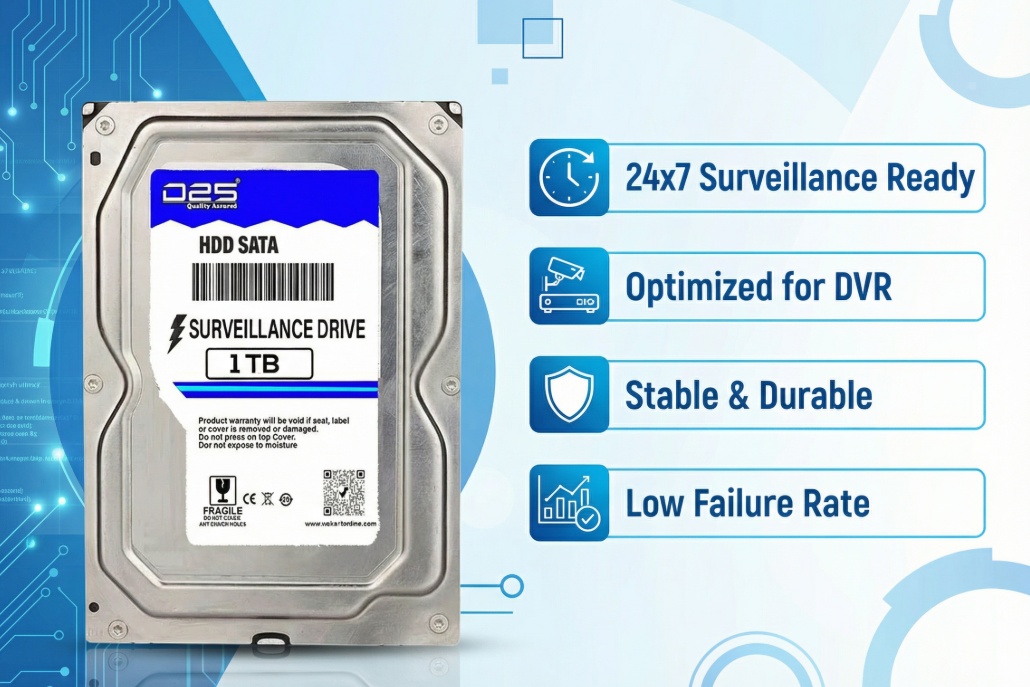

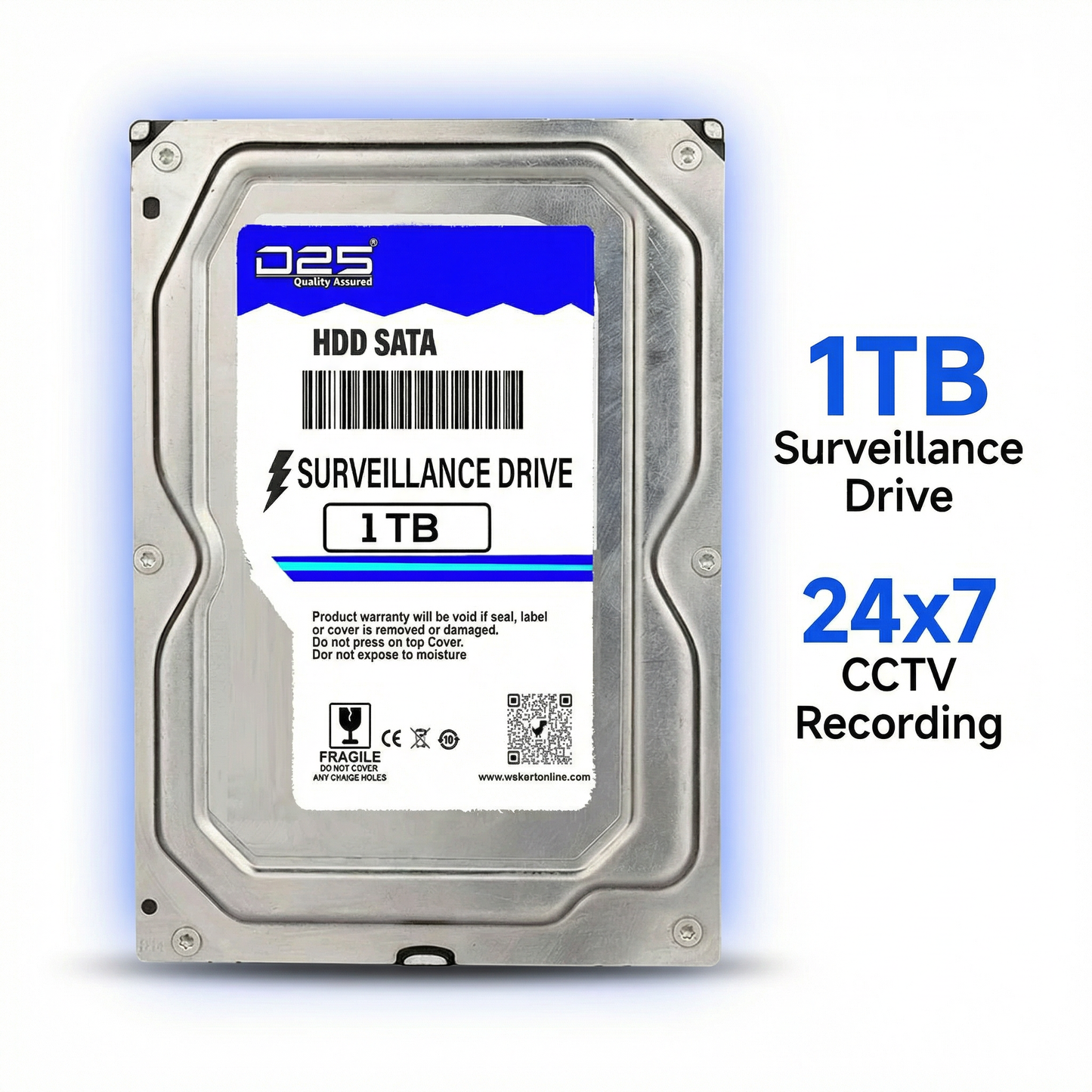
D25 1TB Surveillance Hard Disk for CP-PLUS CP-UNR-4K2041-4PG 4 Channel HD NVR | CCTV Security Storage Drive | 24x7 Recording | 2-Year Warranty
D25 1TB Surveillance Hard Disk for CP-PLUS 4 Channel HD NVR
Purpose-built CCTV storage for CP-UNR-4K2041-4PG — 24x7 continuous recording, low noise, low heat, 2-Year Warranty.
The D25 1TB Surveillance Hard Disk is an internal SATA drive engineered exclusively for CCTV and NVR environments. Optimised for the CP-PLUS CP-UNR-4K2041-4PG 4 Channel HD NVR, it supports uninterrupted 24x7 video recording with stable write performance, minimal vibration, and efficient power consumption — keeping your surveillance system running reliably day and night.
Key Features at a Glance
24x7 Continuous Recording
Designed for round-the-clock surveillance recording without performance degradation or unexpected shutdowns.
CP-PLUS NVR Compatible
Tested and verified for seamless compatibility with the CP-PLUS CP-UNR-4K2041-4PG 4 Channel HD NVR system.
1TB Storage Capacity
Store days or weeks of CCTV footage depending on camera resolution, frame rate, and recording schedule.
Easy Plug-and-Play Setup
Standard SATA interface for quick installation — connect and your NVR detects it automatically.
Low Heat Operation
Advanced thermal management keeps the drive cool during extended recording sessions, improving longevity.
Quiet Low-Vibration Design
Reduced vibration and noise levels ensure your surveillance setup operates silently in any environment.
Energy Efficient
Low power consumption reduces electricity costs and heat buildup, especially important for always-on NVR systems.
2-Year Carry-In Warranty
D25 backs this drive with a 2-Year Carry-In Replacement Warranty for complete peace of mind.
D25 1TB Surveillance Hard Disk — Complete Product Guide
Why Your CCTV System Needs a Dedicated Surveillance Hard Disk
Most people setting up a home or office CCTV system make one costly mistake — they install a regular desktop hard disk inside their NVR. On the surface, it seems to work. But within months, the drive begins to fail. Recording drops out. Footage goes missing. Eventually, the drive dies completely — often at the worst possible moment.
The reason is simple: standard desktop drives are built for intermittent use. You write files, read files, and the drive gets some rest. A CCTV NVR, on the other hand, writes data continuously — every second of every hour of every day. This constant write cycle creates heat, vibration, and wear patterns that a desktop drive simply was not engineered to handle.
A purpose-built surveillance hard disk like the D25 1TB is specifically designed for this environment. The firmware, the platters, the write optimization — all tuned for high-duty-cycle recording. The result is a drive that records reliably for years where a desktop drive would fail in months.
If you own a CP-PLUS CP-UNR-4K2041-4PG 4 Channel HD NVR, the D25 1TB is one of the most reliable, affordable, and compatible storage solutions available in India today.
Understanding the CP-PLUS CP-UNR-4K2041-4PG NVR System
The CP-PLUS CP-UNR-4K2041-4PG is a 4-channel HD Network Video Recorder (NVR) designed for IP-based CCTV camera systems. It supports up to 4 IP cameras, offers recording in high definition formats, and includes features like motion detection, remote viewing via app, and scheduled recording.
Like all NVR systems, the CP-UNR-4K2041-4PG requires a dedicated internal 3.5-inch SATA hard disk for storing footage. The device has a single hard disk bay that accepts standard SATA drives. For reliable operation, CP-PLUS recommends using surveillance-grade HDDs rather than desktop-class drives — and the D25 1TB fits this requirement precisely.
The NVR accepts hard disks from 1TB to higher capacities. For small installations of 2 to 4 cameras with standard HD recording at normal bitrates, a 1TB surveillance drive typically provides 7 to 15 days of continuous footage — enough for most home, shop, and small office applications where overwrite recording is acceptable.
D25 Brand — Surveillance Storage Focused on Reliability
D25 is a surveillance-focused storage brand that manufactures hard drives specifically optimized for the security and CCTV recording market. Unlike general-purpose HDD brands that produce a wide range of drives, D25 concentrates its engineering on surveillance applications — resulting in products that are tuned for continuous write cycles, vibration tolerance, and thermal stability under sustained recording loads.
In the Indian CCTV market, D25 has earned a reputation for delivering reliable performance at a price point accessible to home users, small businesses, and system integrators who need cost-effective storage without compromising on operational reliability. The brand offers a 2-Year Carry-In Replacement Warranty, which is a strong indicator of confidence in the product's durability.
For buyers setting up a CP-PLUS NVR in India, D25 is a particularly practical choice because it is readily available, is priced competitively compared to international surveillance HDD brands, and offers genuine 24x7 recording optimization that keeps your CCTV system running without unexpected failures.
How Much Footage Can 1TB Store?
One of the most common questions buyers ask is: "How many days of footage will 1TB hold?" The answer depends on several factors unique to your installation.
Camera Resolution: Higher resolution cameras (2MP, 4MP, 8MP 4K) produce larger file sizes per hour of footage. A 4K camera uses significantly more storage than a 1MP camera recording at the same frame rate.
Compression Format: Modern NVRs including the CP-UNR-4K2041-4PG support H.265 compression, which typically uses half the storage space of H.264 at the same visual quality. Enabling H.265 on your NVR is one of the easiest ways to double your effective storage duration.
Frame Rate: Recording at 15fps uses roughly half the storage of 30fps. For surveillance purposes, 12 to 15fps is often sufficient and significantly extends your recording window.
Number of Active Cameras: With 4 cameras all recording at 1080p H.264 at 25fps, you can typically store around 5 to 7 days of footage on 1TB. Switch to H.265 and that extends to approximately 10 to 14 days. With 2 cameras recording at 720p, you may get 3 to 4 weeks of footage.
Motion Detection Recording: If your NVR is configured to record only on motion detection rather than continuously, storage duration increases dramatically — sometimes 3x to 5x depending on activity levels.
For most home CCTV installations in India — a flat, shop, or small office with 2 to 4 cameras — 1TB provides a comfortable and practical storage window. The NVR can be configured to overwrite the oldest footage automatically, ensuring your system always has the most recent recordings available.
Real-World Use Cases for the D25 1TB Surveillance HDD in India
Home Security in Flats and Independent Houses: Families installing CP-PLUS cameras at entry doors, living rooms, and parking areas typically run 2 to 4 cameras. A 1TB drive provides ample footage retention for reviewing incidents like theft, package deliveries, visitor activity, or disputes. The drive's low noise operation is especially appreciated in home environments where quiet operation matters.
Retail Shops and Kirana Stores: Small shop owners across India use CP-PLUS NVR systems to monitor cash counters, entry points, and storage areas. A 1TB surveillance HDD gives shop owners 1 to 2 weeks of footage — sufficient to investigate most incidents, resolve customer disputes, and satisfy insurance requirements.
Small Offices and Co-Working Spaces: With cameras watching reception areas, server rooms, and exit points, small offices benefit from the reliable continuous recording of the D25 drive. The low power consumption helps keep operational costs manageable.
Residential Societies and Apartment Complexes: Security personnel managing entry gates, parking lots, and lift lobbies often use 4-channel NVR systems. The D25 1TB provides reliable recording that security personnel can review when investigating incidents or managing access.
Educational Institutions: Schools and coaching centres install CCTV systems in classrooms, corridors, and common areas. A surveillance-optimised hard disk ensures footage is captured consistently without interruptions during school hours.
Warehouses and Godowns: Storage facilities monitoring loading docks, inventory areas, and entry points depend on reliable around-the-clock recording. The D25 drive's thermal efficiency makes it suitable for warmer storage environments where cooling may be limited.
Technical Deep Dive — What Makes a Surveillance HDD Different
Understanding the engineering differences between a surveillance HDD and a desktop HDD helps explain why the right choice matters so much for CCTV applications.
Write Cycle Optimisation: Desktop HDDs are optimised for random read/write operations — the kind you get when opening applications, browsing files, or running software. Surveillance HDDs are optimised for sequential writes — the sustained, constant stream of video data flowing from cameras into the NVR. The firmware, cache management, and platter design all reflect this priority.
Vibration Tolerance (RV Sensors): Many surveillance HDDs incorporate Rotational Vibration (RV) sensors or anti-vibration design elements. When multiple drives are installed in proximity — as in rack-mounted DVR/NVR systems — the vibration from one drive can affect adjacent drives. Even in single-drive NVRs, vibration from fans and the NVR's own mechanical components can affect a sensitive desktop HDD. Surveillance drives handle this more gracefully.
Temperature Management: Continuous operation generates more heat than intermittent use. Surveillance drives feature thermal management tuned for sustained-load scenarios, helping maintain data integrity and drive longevity even in warmer Indian climates or enclosed NVR installations without active cooling.
Error Recovery Time (ERT): When a desktop hard disk encounters a read error, it may attempt to recover the data for an extended period — sometimes 7 to 15 seconds. During this time, the drive is unresponsive. In a desktop PC, this is merely an inconvenience. In a CCTV NVR, an unresponsive drive causes recording to drop entirely. Surveillance drives are configured with shorter error recovery times — typically under 1 to 2 seconds — ensuring the NVR continues recording even if a momentary read error occurs.
Workload Rating: Desktop HDDs typically carry a workload rating of 55TB/year — the maximum amount of data they are rated to write annually. A 4-camera 1080p NVR recording 24x7 can easily exceed 80 to 100TB/year. Surveillance drives carry higher workload ratings — typically 180TB/year or more — matching the actual demands of CCTV recording environments.
Installation Guide — Setting Up the D25 1TB in Your CP-PLUS NVR
Installing the D25 1TB surveillance hard disk in a CP-PLUS CP-UNR-4K2041-4PG NVR is straightforward. Follow these steps for a clean, reliable installation.
Step 1 — Gather Your Tools: You will need a Phillips head screwdriver (medium size). No other tools are required for most NVR installations.
Step 2 — Power Off and Unplug: Always ensure the NVR is completely powered off and unplugged from the power source before opening the enclosure. This protects both you and the drive from damage.
Step 3 — Open the NVR Enclosure: Remove the screws securing the top or bottom panel of the CP-UNR-4K2041-4PG and carefully slide off the cover. Most CP-PLUS NVR units use 2 to 4 screws on the side or rear.
Step 4 — Locate the HDD Bay: Inside the NVR, you will see a hard disk mounting area with a SATA data connector and a SATA power connector. The CP-UNR-4K2041-4PG has one HDD bay.
Step 5 — Mount the Hard Disk: Place the D25 1TB drive in the mounting tray or directly in the bay. Secure it using the provided screws — usually 4 screws through the bottom or side of the bay into the drive's mounting holes.
Step 6 — Connect SATA Cables: Attach the SATA data cable from the NVR motherboard to the drive's SATA data port. Connect the SATA power cable to the drive's power port. Ensure both connections are firm and fully seated.
Step 7 — Close the Enclosure: Replace and secure the NVR cover.
Step 8 — Power On and Initialise: Power on the NVR. The system should detect the new hard disk automatically. You may see a prompt to initialise or format the drive — confirm this to prepare the drive for recording. Note: Initialising the drive erases any existing data, which is expected for a new drive.
Step 9 — Verify and Configure: Navigate to the NVR's storage settings menu to confirm the drive is detected at full capacity and that recording is enabled across all connected cameras.
Maximising Your Surveillance Storage — Pro Tips
Enable H.265 Compression: If your CP-PLUS NVR and cameras support H.265 encoding, switch from H.264. This single change can reduce storage usage by up to 50% with no visible quality loss.
Use Motion Detection Recording: Configure your NVR to record only when motion is detected in specific zones. This can extend your footage retention from 7 days to 3 to 4 weeks on a 1TB drive, depending on activity levels at your location.
Set Appropriate Resolution: Unless you specifically need to identify faces or licence plates at long distances, recording at 1080p is sufficient for most security purposes. Recording all cameras at 4K on a 1TB drive will reduce your footage window to just 1 to 2 days.
Maintain Regular NVR Firmware Updates: CP-PLUS periodically releases firmware updates for its NVR products. Keeping your NVR updated ensures optimal hard disk communication, bug fixes, and access to the latest compression improvements.
Ensure Adequate Ventilation: Position your NVR in a location with adequate airflow. Avoid placing it inside closed cabinets without ventilation, as accumulated heat shortens both NVR and HDD lifespan.
Check Drive Health Periodically: Most NVR systems including CP-PLUS products provide a drive health status indicator in the settings menu. Check this monthly to catch any early warning signs of drive degradation.
Buying the Right Storage — 1TB vs 2TB for Your CCTV System
A common question from buyers upgrading their CCTV storage is whether to invest in a 1TB or 2TB surveillance drive. Here is a practical framework for making this decision.
Choose 1TB if: You have 2 to 3 cameras recording at 1080p using H.265 compression. You are comfortable with 7 to 14 days of footage retention. You are setting up a basic home or shop security system. You want the most cost-effective entry point for reliable surveillance storage. Budget is a primary consideration.
Choose 2TB if: You have 4 cameras all recording in Full HD or higher at all times. You need 2 to 4 weeks of uninterrupted footage for your business. You are in a location with higher security requirements — a factory, warehouse, or institution. You prefer to set it up and not worry about storage for an extended period.
For most home users and small shop owners in India setting up the CP-PLUS 4-channel NVR with standard 1080p cameras, the D25 1TB is the ideal starting point — reliable, affordable, and provides a practical recording window that meets day-to-day security needs.
Why Buy from WeKart Online Store?
WeKart is a trusted Indian e-commerce store specialising in computer hardware, electronics, and CCTV accessories. Here is why thousands of customers across India choose WeKart for their surveillance and electronics purchases.
Authorised Products Only: WeKart stocks only genuine, authorised products from verified suppliers. Every D25 surveillance hard disk sold through WeKart is authentic — you receive the full manufacturer warranty without any disputes.
GST Invoice Included: Every order from WeKart ships with a valid GST invoice. For business buyers, this means hassle-free input tax credit claims. For home users, it provides official proof of purchase for warranty claims.
Fast Pan-India Delivery: WeKart ships across India through reliable courier partners. Most metro orders are delivered within 2 to 3 business days. Tier 2 and Tier 3 city deliveries typically arrive within 3 to 5 business days.
Safe Packaging: All hard disks are shipped in anti-static packaging with protective foam inserts. Your D25 surveillance drive arrives in perfect, undamaged condition regardless of transit handling.
Expert Product Support: The WeKart team has deep expertise in CCTV hardware and can help you choose the right hard disk for your specific NVR model, recording requirements, and budget. Contact us through the website for pre-purchase guidance.
Easy Returns and Warranty Assistance: In the unlikely event of a product issue, WeKart assists with warranty claims and returns. Our customer-first approach means you are never left alone with a problem after purchase.
Technical Specifications
| Specification | Details |
|---|---|
| Brand | D25 |
| Storage Capacity | 1TB (1000GB) |
| Drive Type | Internal Surveillance Hard Disk (HDD) |
| Interface | SATA (Internal) |
| Application | CCTV / NVR / DVR Surveillance Recording |
| Recording Mode | 24x7 Continuous Recording |
| Primary Compatibility | CP-PLUS CP-UNR-4K2041-4PG 4 Channel HD NVR |
| Noise Level | Low Vibration / Low Noise Design |
| Power Consumption | Energy Efficient (Low Power) |
| Thermal Management | Optimised for Sustained Operation |
| Installation Type | Internal — Fits Standard 3.5-inch HDD Bay |
| Warranty | 2-Year Carry-In Replacement Warranty by D25 |
| Intended Use | Home, Office, Retail, Warehouse, Commercial CCTV |
Compatibility and Use Case Reference
| Installation Type | No. of Cameras | Resolution | Estimated Footage Retention (1TB) |
|---|---|---|---|
| Home — Flat / Villa | 2 Cameras | 1080p H.265 | ~20 to 28 Days |
| Small Shop / Kirana | 3 Cameras | 1080p H.264 | ~8 to 12 Days |
| Office / Co-Work | 4 Cameras | 1080p H.265 | ~10 to 15 Days |
| Residential Society Gate | 2 Cameras | 2MP H.265 | ~18 to 24 Days |
| Warehouse / Godown | 4 Cameras | 1080p H.264 | ~6 to 9 Days |
| School / Coaching Centre | 4 Cameras | 720p H.264 | ~15 to 20 Days |
*Estimates are approximate. Actual storage duration varies based on bitrate settings, motion sensitivity, and compression format. Enabling motion detection recording significantly extends footage retention.
Pros and Considerations
Advantages
- Purpose-built for 24x7 CCTV recording
- Verified compatible with CP-PLUS CP-UNR-4K2041-4PG
- Low heat and low noise operation
- Energy efficient — lower electricity cost
- 2-Year Carry-In Replacement Warranty
- Easy SATA plug-and-play installation
- Affordable pricing for Indian market
- Suitable for home, shop, and office use
Things to Know
- 1TB may be limited for 4K camera systems
- Footage duration depends on settings and camera count
- Internal drive — not for external use
- D25 not responsible for data loss — backup important footage
- Installation requires opening NVR enclosure
Protect Your CCTV Investment with Reliable Surveillance Storage
Your cameras are only as useful as the hard disk storing the footage. The D25 1TB surveillance drive ensures every frame from every camera is captured, stored, and available when you need it — 24 hours a day, 7 days a week, 365 days a year.
🛡️ 2-Year Carry-In Replacement Warranty
The D25 1TB Surveillance Hard Disk is backed by D25's official 2-Year Carry-In Replacement Warranty. In case of any manufacturing defect or drive failure, D25 will replace your unit — giving you confidence that your surveillance storage investment is fully protected. WeKart provides a valid GST invoice with every order as your official warranty proof of purchase.
Features and Specifications
Drive Features
- Storage Capacity: 1TB internal surveillance HDD
- Interface: SATA — compatible with standard NVR and DVR hard disk bays
- Recording Support: Optimised for 24x7 continuous video recording
- Write Optimisation: Sequential write-focused firmware for sustained surveillance recording streams
- Thermal Management: Engineered for low heat output during extended operation
- Noise and Vibration: Low-vibration design for quiet operation in home and office environments
- Power Consumption: Energy-efficient design reduces electricity costs and system heat
- Error Recovery: Fast error recovery time maintains recording continuity
- Workload Rating: High-duty-cycle rating suitable for surveillance workloads
Compatibility Details
- Primary Device: CP-PLUS CP-UNR-4K2041-4PG 4 Channel HD NVR
- Drive Form Factor: 3.5-inch internal SATA hard disk
- General Compatibility: Compatible with all NVR and DVR systems accepting standard SATA HDDs
Warranty
- 2-Year Carry-In Replacement Warranty by D25
- GST Invoice provided by WeKart as proof of purchase
Item Details
In the Box
- 1 x D25 1TB Surveillance Internal Hard Disk
- Mounting screws (if included by manufacturer)
- GST Invoice from WeKart Online Store
Note: SATA data cable and power cable are not included. These are typically already present inside your NVR system.
Packaging Details
The drive is shipped in anti-static protective packaging with foam inserts to protect against transit damage. WeKart further packs all hard disks in rigid corrugated outer boxes to ensure safe delivery across all pin codes in India.
Sold and Fulfilled by WeKart
This product is sold and fulfilled directly by WeKart Online Store (wekartonline.com). All products are sourced from authorised distributors, ensuring genuine products and valid manufacturer warranty.
Additional Details
Important Disclaimer
D25 is not responsible for data loss due to drive failure, power fluctuations, improper installation, or any other cause. Buyers are strongly advised to maintain regular backups of important surveillance footage to a secondary storage location. Critical recordings should be exported from the NVR to an external drive or cloud service promptly.
Data Retention Note
Footage storage duration is not fixed. It depends on: number of cameras recording, camera resolution, frame rate, bitrate settings, recording mode (continuous vs motion detection), and compression format (H.264 vs H.265). The estimates provided in product listings are approximations under typical conditions.
Country of Origin
Please refer to the product packaging for country of origin information.
How to Install — Step-by-Step Guide
Installing D25 1TB in CP-PLUS CP-UNR-4K2041-4PG NVR
Required Tools: Phillips head screwdriver
Step 1: Power off the NVR completely and disconnect the power cable from the mains socket. Wait 30 seconds to allow capacitors to discharge.
Step 2: Remove the screws securing the NVR top panel (usually 2 to 4 screws on the rear and/or sides) and slide off the cover carefully.
Step 3: Locate the internal hard disk mounting bay inside the NVR. You will see a SATA data port and a SATA power connector waiting for the drive.
Step 4: Remove the D25 hard disk from its anti-static packaging. Handle the drive by its edges — avoid touching the circuit board on the underside.
Step 5: Place the drive in the mounting bay with the SATA connectors aligned with the cables inside the NVR. Secure using the provided mounting screws (4 screws) — do not overtighten.
Step 6: Connect the SATA data cable and SATA power cable firmly to the drive. Ensure both are fully inserted until they click or are flush.
Step 7: Replace the NVR top panel and secure the screws.
Step 8: Connect the power cable and power on the NVR. The system will detect the new drive and prompt you to initialise it — accept the prompt to format the drive for use.
Step 9: Go to NVR Storage Settings to verify the drive is detected at 1TB capacity and that recording is active on all camera channels.
Installation Time: Typically 10 to 20 minutes for a first-time installer. No technical expertise required.
Usage Guide — Getting the Most from Your Surveillance Storage
Optimising Recording Settings
To maximise footage retention on your 1TB drive, configure your CP-PLUS NVR as follows:
- Enable H.265 compression if all cameras support it — this doubles your effective storage
- Set frame rate to 12 to 15fps for standard surveillance — reduces storage by 40 to 50% compared to 25fps
- Use motion detection recording for low-activity areas like storerooms and parking areas
- Enable scheduled recording — record at full quality during business hours and at reduced quality overnight
Configuring Overwrite Recording
Most NVRs including CP-PLUS models support automatic overwrite recording — when the drive is full, the oldest footage is automatically overwritten by new recordings. Enable this feature to ensure your system never stops recording due to a full disk. This is the recommended configuration for 24x7 security monitoring.
Backing Up Important Footage
If you capture footage of an incident — a theft, accident, dispute, or other important event — export the relevant footage to a USB drive or external hard disk immediately. Do not wait until the storage cycle overwrites the recording. Most CP-PLUS NVRs have a USB port on the front panel for direct export.
Monitoring Drive Health
Check your NVR's storage status page monthly to review drive health indicators. Most CP-PLUS NVR systems display HDD status, available capacity, and any error alerts. Address any drive health warnings promptly to avoid data loss.
Safety Tips
Handling Precautions
- Always power off and unplug the NVR before installing or removing the hard disk
- Handle the drive by its edges — static discharge from touching circuit board components can damage the drive
- Do not drop, bend, or strike the hard disk — mechanical shock can damage internal components
- Keep the drive in anti-static packaging until the moment of installation
- Do not expose the drive to strong magnetic fields
Operational Safety
- Ensure the NVR is in a well-ventilated location — do not block NVR vents
- Do not place the NVR in direct sunlight or near heat sources
- Use a UPS (Uninterruptible Power Supply) to protect the NVR and drive from power fluctuations common in India
- Sudden power cuts during active recording can cause data corruption — a UPS provides a safe shutdown buffer
- Do not attempt to open or disassemble the hard disk enclosure under any circumstances
Data Safety Reminder
Hard disks are mechanical devices with a finite lifespan. Always maintain backup copies of important recordings. D25 and WeKart are not responsible for data loss due to drive failure, power issues, or improper use.
Buying Guide — How to Choose the Right NVR Hard Disk in India
Step 1 — Confirm Your NVR Model
Before purchasing a surveillance HDD, verify your NVR model number. Different NVR models have different hard disk bay counts, maximum supported capacities, and SATA compatibility. The CP-PLUS CP-UNR-4K2041-4PG supports 1 internal SATA hard disk up to 6TB. The D25 1TB is perfectly compatible with this system.
Step 2 — Choose Surveillance Grade, Not Desktop Grade
Never use a desktop hard disk in a CCTV NVR or DVR. Desktop drives fail prematurely in 24x7 recording environments. Always choose a drive labelled as surveillance, security, or NVR — these are specifically designed for continuous recording workloads.
Step 3 — Calculate Your Storage Requirement
Use the rule of thumb: 1080p H.265, 4 cameras, 24x7 recording uses approximately 50 to 70GB per day. Divide your desired retention days by this figure to arrive at your required capacity. For 14-day retention with 4 cameras: 70GB x 14 = approximately 1TB needed.
Step 4 — Verify Warranty Terms
Always purchase from an authorised source to ensure you receive manufacturer warranty. The D25 1TB purchased from WeKart comes with a 2-Year Carry-In Replacement Warranty and a GST invoice — both essential for warranty claims.
Step 5 — Buy from a Trusted Source
Counterfeit and grey-market surveillance hard disks are a real problem in India. Always purchase from verified sellers like WeKart who provide GST invoices, ship in original manufacturer packaging, and support manufacturer warranty claims.
Frequently Asked Questions (FAQ)
Is the D25 1TB specifically compatible with the CP-PLUS CP-UNR-4K2041-4PG NVR?
Yes. The D25 1TB Surveillance Hard Disk is specifically listed as compatible with the CP-PLUS CP-UNR-4K2041-4PG 4 Channel HD NVR. It uses a standard SATA interface and fits the NVR's internal 3.5-inch hard disk bay. No adapters or modifications are required.
How many days of footage can I store on 1TB?
This depends on your recording settings. With 4 cameras at 1080p H.265, expect approximately 10 to 15 days of continuous footage. With 2 cameras at 720p using motion detection, you may get 3 to 5 weeks. For precise estimates, use your NVR's storage calculator with your specific camera and recording settings.
Can I use a regular desktop hard disk in my CP-PLUS NVR instead?
Technically a desktop HDD will be detected and work initially, but it is strongly not recommended. Desktop drives are not built for 24x7 recording workloads. They run hotter, fail sooner, and are not covered by warranty if used in surveillance systems. A surveillance-specific drive like the D25 is designed for exactly this application.
Does this hard disk come with a warranty?
Yes. The D25 1TB Surveillance Hard Disk carries a 2-Year Carry-In Replacement Warranty from D25. When purchased from WeKart, you receive a valid GST invoice which serves as your official proof of purchase for warranty claims. Carry-in warranty means you bring the defective drive to an authorised service centre for replacement.
Do I need to format the hard disk before use?
Yes. When you install the D25 hard disk in your CP-PLUS NVR and power it on for the first time, the NVR will prompt you to initialise (format) the drive. Accept this prompt. The NVR formats the drive in its own internal format for recording. This process takes a few minutes and the drive is then ready for use.
Should I connect the NVR to a UPS?
Strongly recommended, especially in India where power fluctuations and cuts are common. A sudden power cut during recording can corrupt data on the hard disk and, over time, can damage the drive's file system. A UPS provides a buffer of 10 to 30 minutes to allow a proper shutdown of the NVR, protecting both the drive and your recorded footage.
Is a GST invoice provided with this purchase?
Yes. Every order from WeKart Online Store ships with a valid GST invoice. Business buyers can use this for input tax credit (ITC) claims. Home buyers receive the invoice as official proof of purchase for warranty purposes.
What happens when the hard disk is full?
When configured in overwrite mode (the default and recommended setting), the CP-PLUS NVR automatically overwrites the oldest footage with new recordings when the disk is full. This ensures continuous recording without manual intervention. If you want to keep specific footage, export it to an external USB drive before it gets overwritten.


Need Large Quantities? Get India's Best Bulk Price — Only at WeKart Online Store
Whether you're an IT distributor, CCTV installer, office procurement manager, or reseller — WeKart offers unbeatable bulk pricing on D25 1TB Surveillance Hard Disk for CP-PLUS CP-UNR-4K2041-4PG 4 Channel HD NVR | CCTV Security Storage Drive | 24x7 Recording | 2-Year Warranty and all 1TB CCTV Hard Disk with full GST invoice for every business purchase. No middlemen. Direct pricing. Fast pan-India dispatch.